
The new DTC HUB is live
Every DTC HUB account has moved to the new version. Here’s what has changed, what hasn’t, and the five new features that save time on every order.
From today, every DTC HUB account runs on the new version. Over the last few months a group of customers has been using it day to day and telling us what works and what doesn’t. We’ve made the changes they suggested, and now the new HUB is live for everyone.
The whole HUB has been modernised. Pages load faster, menus are simpler, and the things you use most are easier to find. On top of that, there are five new features built around the questions buyers and stores teams ask us most: “Which of your codes is our part?”, “Is there a cheaper option?”, “Where’s my order?” and “Can I have a copy of that invoice?”
What hasn’t changed
- Your login stays the same.
- Your account history, settings, Rapid Order Entry lists and everything else are still there.
- If you’d rather use the old design for now, you can switch back at any time.
What’s new: search by your own part numbers, lower-cost alternatives, list or gallery view with an in-stock filter, order tracking with proof of delivery, and invoice downloads.
Search by your own part numbers
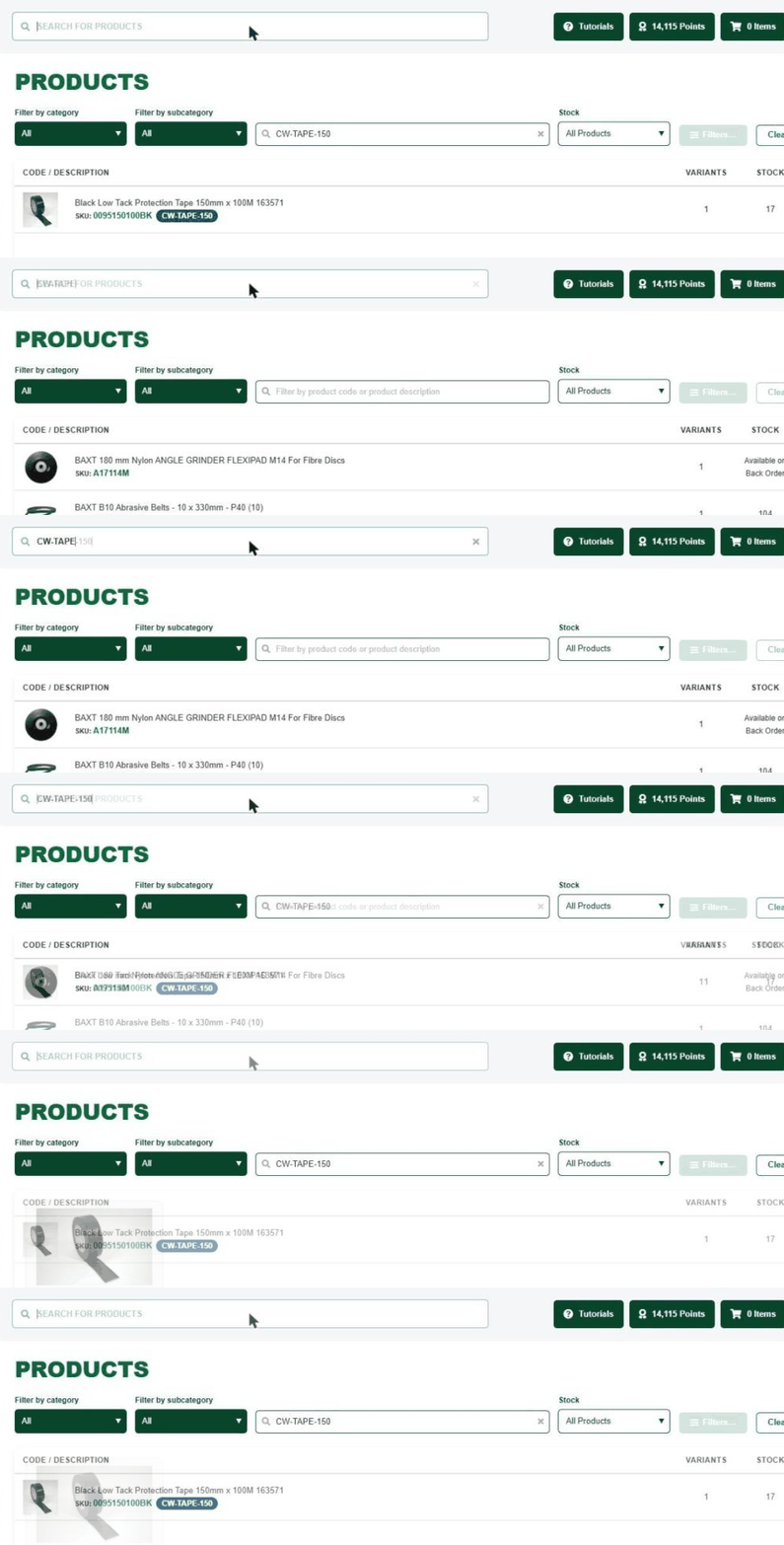
Most sites run their own part numbering. Stores labels, bin cards and work instructions all use it, but our catalogue uses DTC codes. Until now, someone had to translate one into the other before they could place an order.
You can now add your own internal part numbers against our stock records. Type your code into search and the HUB finds the DTC product, with your code shown in a tag next to ours. It works in list view, gallery view and search, so whoever is ordering can use the numbers they already know.
Swap to a lower-cost alternative
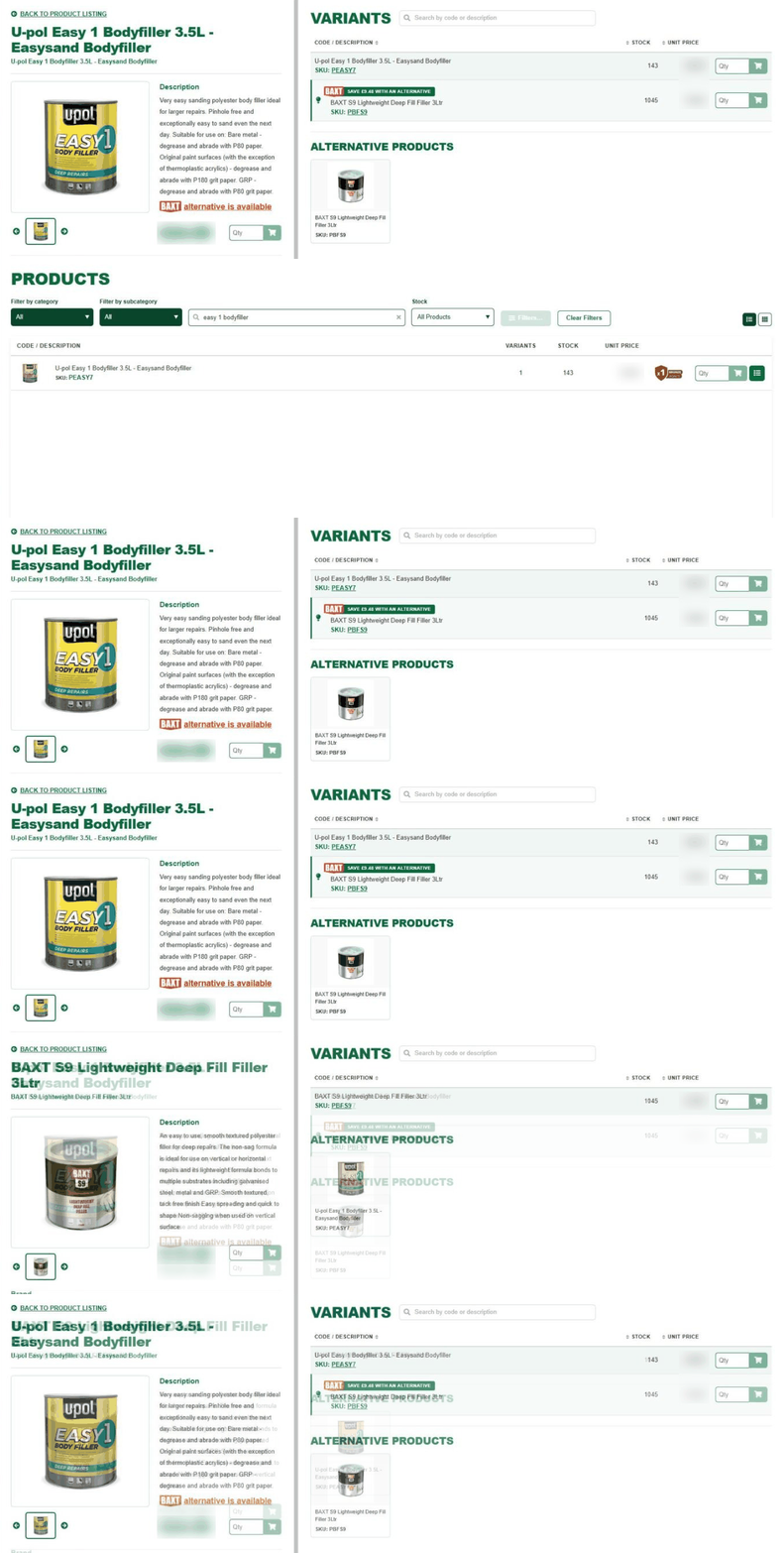
Where we stock a BAXT product that does the same job for less, the HUB now tells you. Look for the BAXT flag on a product page. It shows how much you save per unit and takes you straight to the alternative, so you can compare the two before you decide.
You choose whether to swap. Nothing changes on your account unless you add the alternative to your order. It’s a quick way to bring consumable spend down without reworking a whole product list.
List or gallery view, with an in-stock filter
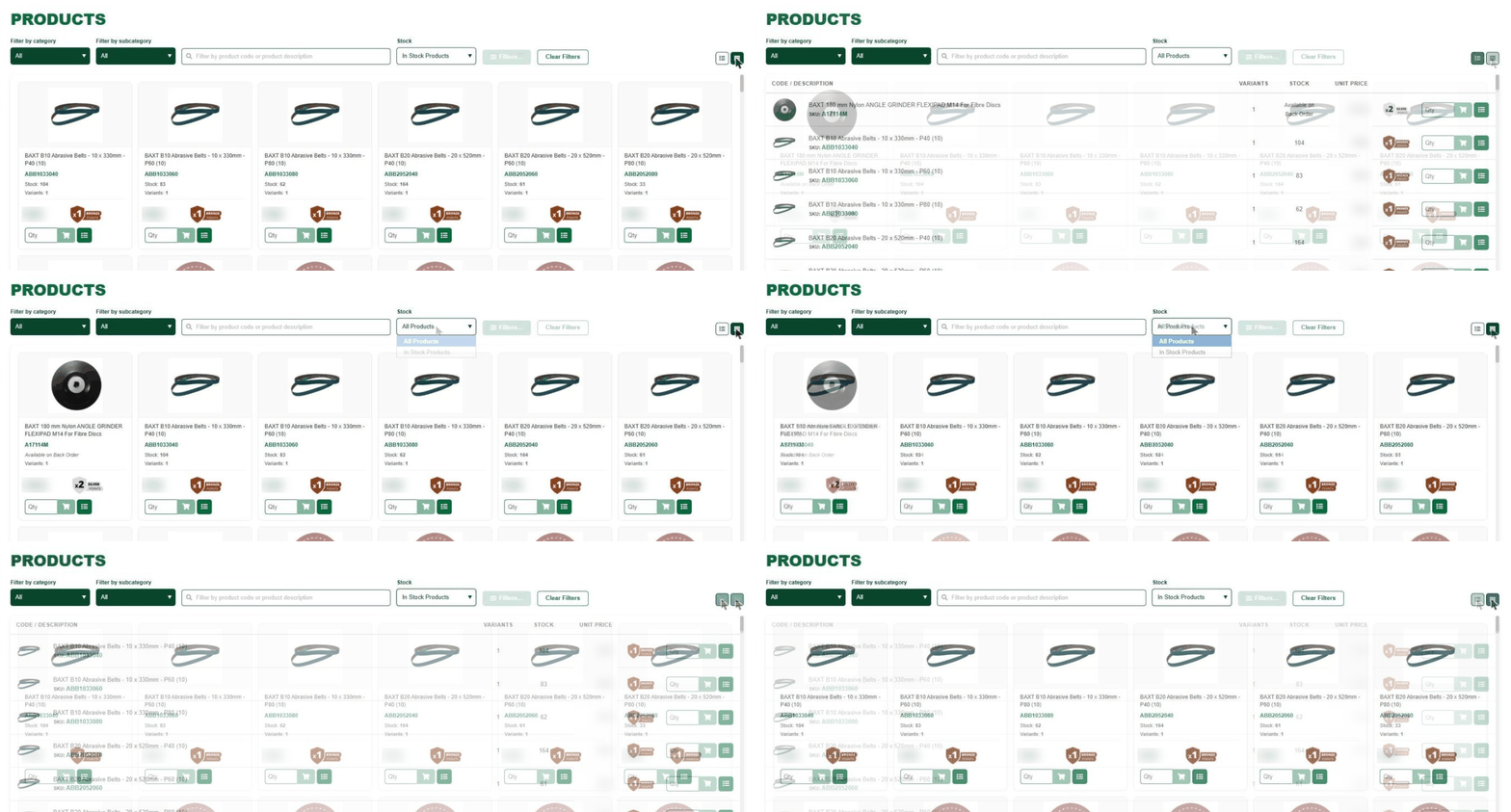
Some people order by code, others by picture. You can now switch any product list between a compact list view, built for scanning codes and stock levels, and a gallery view with a larger image for each product.
The new stock filter shows only items we have in stock and ready to dispatch. Set it before you build an order and you won’t find out about a back order after you’ve placed it. Within a category, the Filters panel narrows things further by size, grit, brand and other product details.
Track orders and get your POD
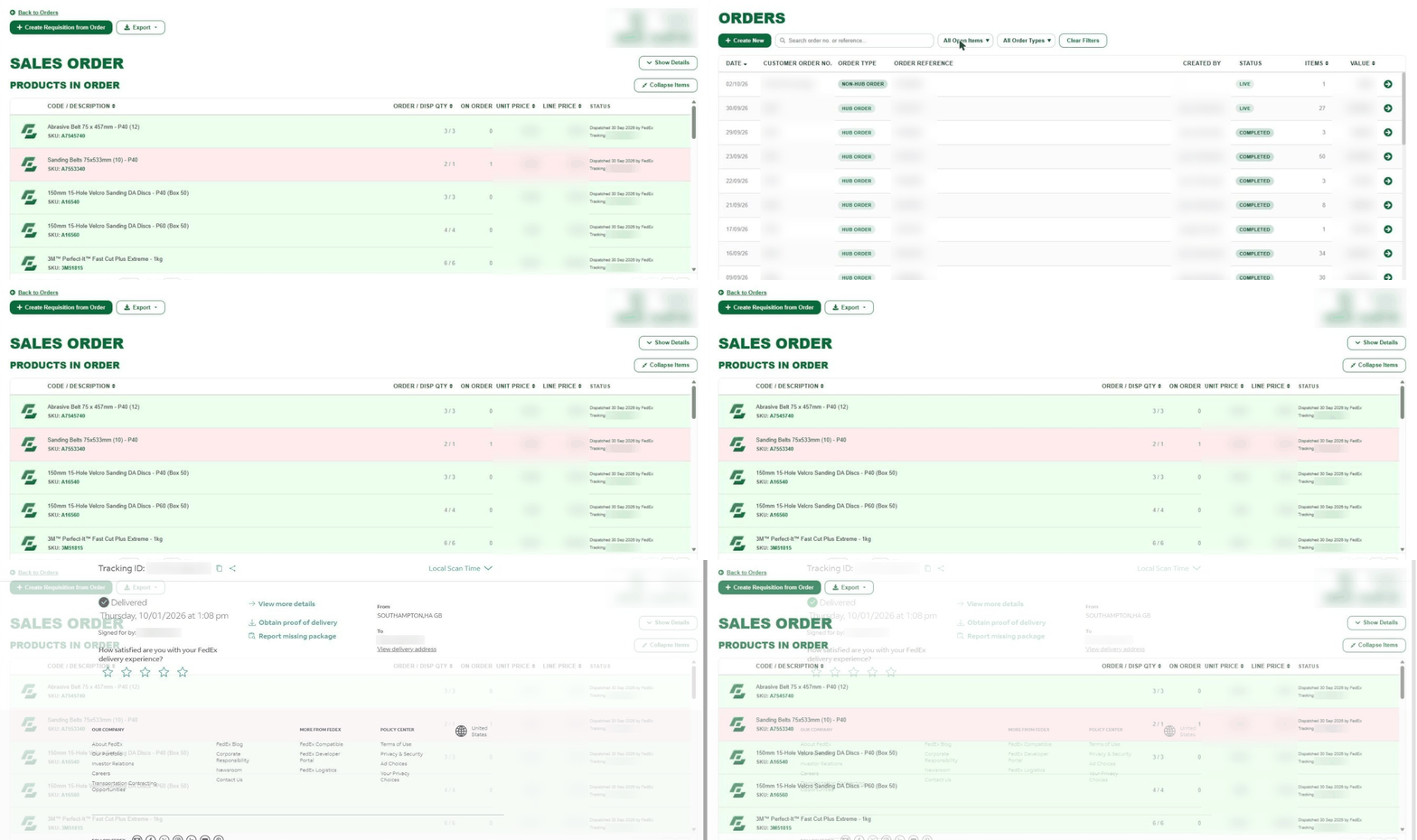
Open orders and back orders now show together on one screen, so you can see everything still due on your account without phoning us. Lines that are part dispatched or waiting on stock are highlighted, with the quantity still on order shown against each.
Every dispatched line shows the carrier, the dispatch date and a tracking link. Follow the link for the delivery status and the proof of delivery, which is handy when goods-in asks whether something has arrived.
Download your invoices
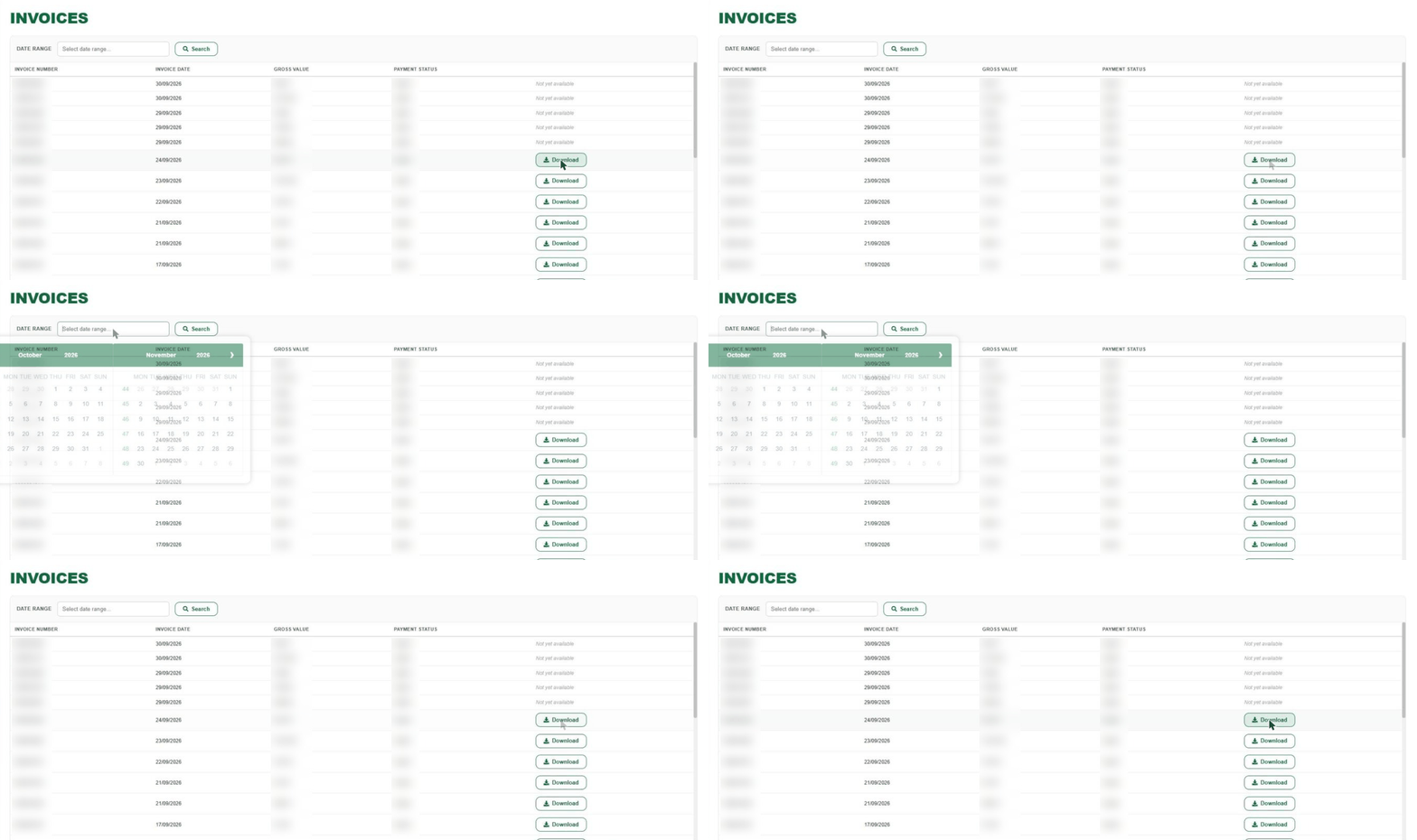
Accounts teams no longer need to email us for a copy. The Invoices page lists every invoice on your account. Pick a date range to find the one you want and download it there and then. Very recent invoices may show as not yet available for a short time before you can download them.
Prefer the old version for now?
If you need a little time to get used to the new layout, use Switch back in the banner at the top of any page. You’ll go straight back to the previous design. When you do, we’ll ask what made you switch, because that feedback decides what we change next.
Have a look around
It takes two minutes. Log in to the DTC HUB at www.dtc-hub.com with your usual details, or call us on 023 8025 1100 and we’ll walk you through it.
To find out more about the DTC HUB, click here.